
Add DecoNetwork as a preferred source for industry insights.
High-quality DTF printing depends on more than the printer. Consistent transfers require the right combination of DTF film, adhesive powder, ink, RIP software, color profiles, artwork preparation, heat settings, and environmental controls.
DTF technology continues to improve, but print shops still need a repeatable process to produce accurate colors, strong adhesion, clean details, and reliable results. Understanding how each variable affects the finished transfer can reduce reprints, downtime, and wasted materials.
DTF Printing Quality Depends on the Entire System
A faster or more expensive DTF printer does not automatically produce better transfers. The printer is only one part of a connected production system.
Ink, film, powder, printheads, waveform settings, RIP software, color profiles, curing, and heat application must all work together. Changing one element can affect ink flow, color accuracy, detail, adhesion, and the feel of the finished print.
More ink colors can help reproduce a wider color range, including difficult reds and fluorescent shades. However, additional colors also mean more printheads, more settings, and more potential maintenance issues. A properly profiled four-color printer can sometimes deliver more dependable results than a more complicated machine that has not been calibrated correctly.
Consistency should be the priority. Print shops need a tested combination of equipment, consumables, software, and settings that can be repeated from one order to the next.
Choose DTF Film and Powder for Consistency
Not all DTF film is created equal. Film coating, release performance, thickness, and surface consistency can all influence how the ink prints and how the transfer releases from the carrier.
Hot peel DTF film can speed up production because the carrier can be removed shortly after pressing. Cold peel film requires more cooling time but may still suit certain materials, artwork types, or production processes. The best option depends on the equipment, powder, ink, heat press, and desired finish.
Film should be evaluated for:
- Consistent results between rolls
- Clean ink reception
- Reliable release
- Accurate color reproduction
- Low-temperature pressing options
- Finished transfer feel
- Material waste and recyclability
DTF powder is equally important. Powders are available in different particle sizes, and finer powder is not always better. Very fine powder may help hold small details, but it can also create more dust, buildup, and contamination around the printer.
The best DTF powder should melt evenly, bond reliably, and work with the shop’s film, ink, curing system, and pressing process. Choosing consumables only by price can lead to color changes, failed transfers, reprints, and lost production time.
RIP Software and Color Profiles Control Accuracy
RIP software is the brain behind a DTF printer. It manages how artwork is interpreted, how ink is applied, how white underbases are generated, and how colors are reproduced.
The correct RIP software should support the printer configuration and every ink channel being used. A machine may have strong hardware, but it will still produce weak results if the software cannot properly control its expanded color set or printing conditions.
A DTF color profile connects the printer, ink, film, powder, and operating environment. It tells the system how to reproduce colors as accurately as possible with that specific setup.
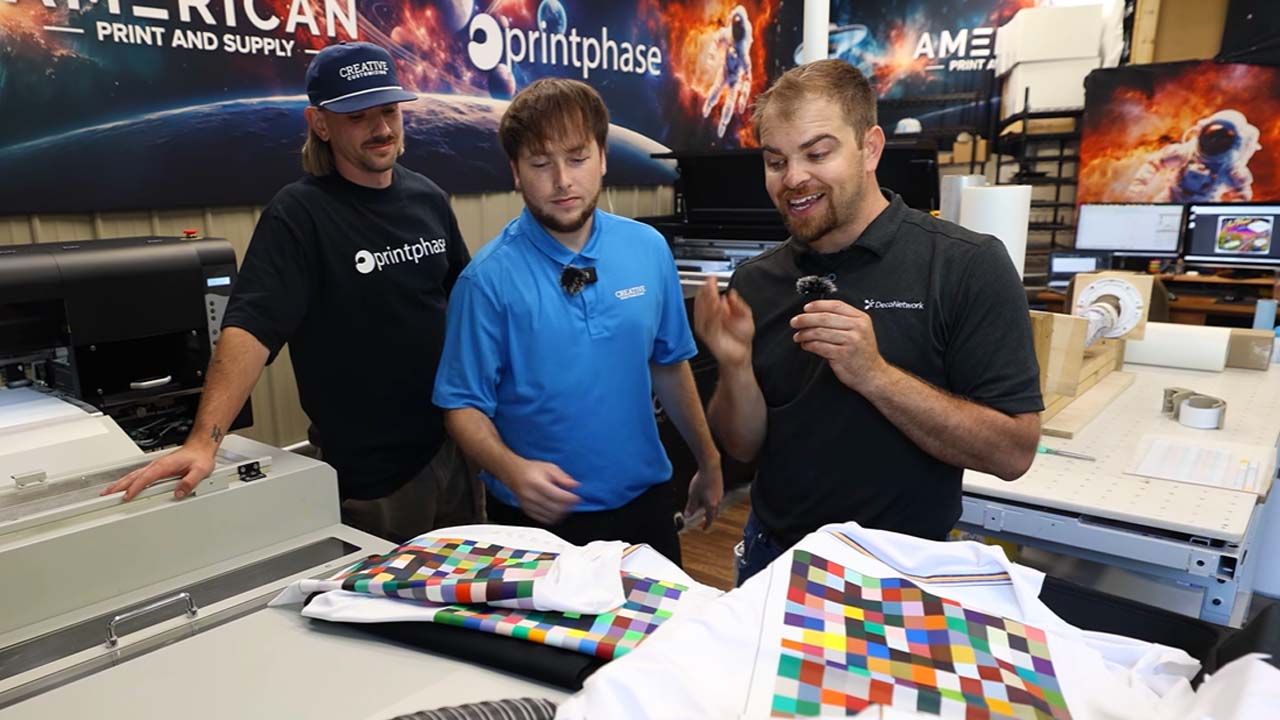
A spectrophotometer can be used to measure printed color targets and build a custom profile. This is especially valuable when printing logos and spot colors that customers expect to match previous screen-printed or branded products.
Color profiles may need to be updated when a shop changes:
- DTF film
- Ink
- Waveform settings
- RIP software
- Printer configuration
- Environmental conditions
Print shops should also back up RIP settings, color profiles, and printer configurations. A software update or system failure can quickly stop production when those files cannot be restored.
Prepare Artwork for Better DTF Color
Accurate DTF color begins before the file reaches the printer. Poor artwork preparation can remove color information and make brand colors difficult or impossible to reproduce correctly.
Artwork should generally remain in RGB when the printer and RIP workflow support it. RGB contains a broader color range than CMYK, which can be especially helpful when reproducing bright colors. Converting artwork to CMYK too early may reduce the available color information.
Print shops should create clear artwork standards covering:
- Accepted file formats
- RGB color settings
- Spot-color references
- Image resolution
- Transparent backgrounds
- Vector artwork
- Minimum line thickness
- Minimum text size
File format can also affect the output. A PNG, PDF, and EPS version of the same design may not always produce identical colors. Shops should test common formats, choose a standard workflow, and apply it consistently.
Customers should also be educated about artwork requirements. Clear submission guidelines can prevent avoidable color disputes while improving transfer quality and turnaround times.
Control the DTF Printing Production Environment
Temperature and humidity can affect ink flow, printhead performance, static, film behavior, and color consistency. A printer that performs well in one season may behave differently when the air becomes colder or drier.
DTF print rooms should be monitored and kept within the operating range recommended for the equipment. Humidifiers, ventilation, filtration, and climate controls may be needed to create stable conditions.
Shops should also document their pressing process, including:
- Pre-pressing requirements
- Press temperature
- Press time
- Pressure
- Peel timing
- Post-pressing instructions
These settings can vary between films, powders, fabrics, and transfer types. Testing should be completed before new consumables or special-effect films are added to regular production.
Gang sheet software can further improve DTF workflow efficiency. Combining multiple designs onto one sheet helps reduce film waste, simplify print-on-demand orders, and prepare one-off transfers more quickly.
Build a Repeatable DTF Printing Workflow
Successful DTF production is built around standardization. Operators should know how to prepare files, load materials, monitor conditions, inspect transfers, maintain equipment, and respond when quality changes.
Print shops should record successful combinations of:
- Printer settings
- RIP presets
- Color profiles
- Film and powder
- Curing settings
- Heat press settings
- Environmental conditions
When a problem appears, change one variable at a time. Changing several settings or consumables at once makes it difficult to identify the true cause.
Equipment redundancy can also protect production. Backup printers, saved profiles, spare consumables, and trained team members can help keep orders moving when the primary system needs service.
The people operating the equipment are as important as the equipment itself. Giving trained employees ownership of maintenance and quality control helps create a more reliable DTF department.
The Takeaway: Standardize Every Part of DTF Printing
DTF printing in 2026 offers faster production, more film options, improved hot peel performance, better color tools, and growing opportunities for print shops. However, professional results still depend on controlling every part of the process.
Test compatible films and powders, use capable RIP software, build accurate color profiles, standardize artwork, maintain the print environment, and document successful production settings.
A repeatable DTF workflow produces more accurate colors, fewer failed transfers, less downtime, and stronger customer relationships. The goal is not simply to make the printer run. It is to create a dependable system that delivers the same high-quality result every day.